For some reason, my OPNSense installs always fail to allocate the disk “correctly”. I usually end up with a 8 Gig SWAP partition. Either you fix this during install during runtime at some point. I used Gemini to give me the needed commands to resize the partitions as I needed.
In the following, ensure that you don’t need the OPNSense anymore, as we are now friggin with the file-system.
Here some tutorials from other people:
TL;DR All commands in one text:
# get indexes
gpart show
# swap off
swapoff -a
# delete swap
gpart delete -i 3 dao
# create smaller swap
gpart add -t freebsd-swap -s 4G -i 3 da0
# create new ZSP partition in now free space
gpart add -t freebsd-zfs da0
# add new partition to main-pool
zpool add zroot da0p5
# verify stuff is bigger
zpool list
df -h /
# turn on swap
swapon -a
# check new swap size
swapctl -l- check how your system looks
df -h 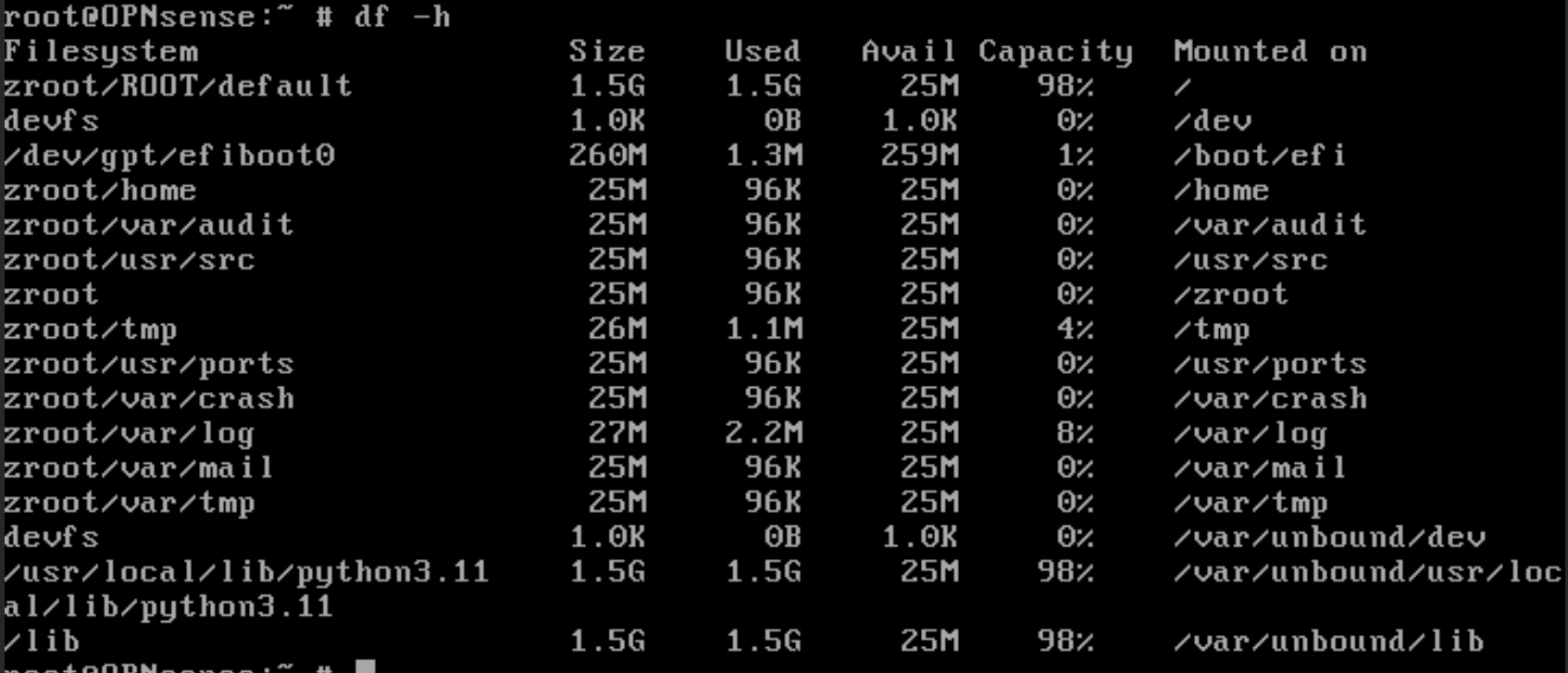
show the exact partitions
gpart show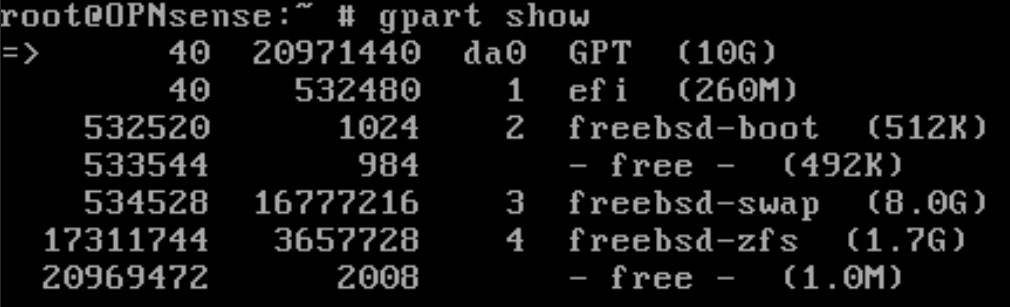
You should find some partitions named “swap” in some way. Note the ID (here the ID is 3)
Also ensure that the free partition isnt actually stealing your needed space.
- disable swap on the device
swapoff -a- delete the swap partition (replace
3with your ID)
gpart delete -i 3 dao- create a new (smaller) swap partition at Index 3
gpart add -t freebsd-swap -s 4G -i 3 da0- Create a new ZFS Partition to extend into (this will likely get Index
5assigned )
gpart add -t freebsd-zfs da0- extend the ZFS pool into the new partition
zpool add zroot da0p5- verify your ZFS pool is bigger
zpool listdf -h /- Re-enable swap!
swapon -aCheck if swap is active and 4G
swapctl -l